Compare Planned and Completed Activity Data in a Single Chart
I just wanted to share a cool new feature. You can now see how the metrics of a completed workout to what was planned in the same chart for Power, Heart Rate, Pace and Cadence.
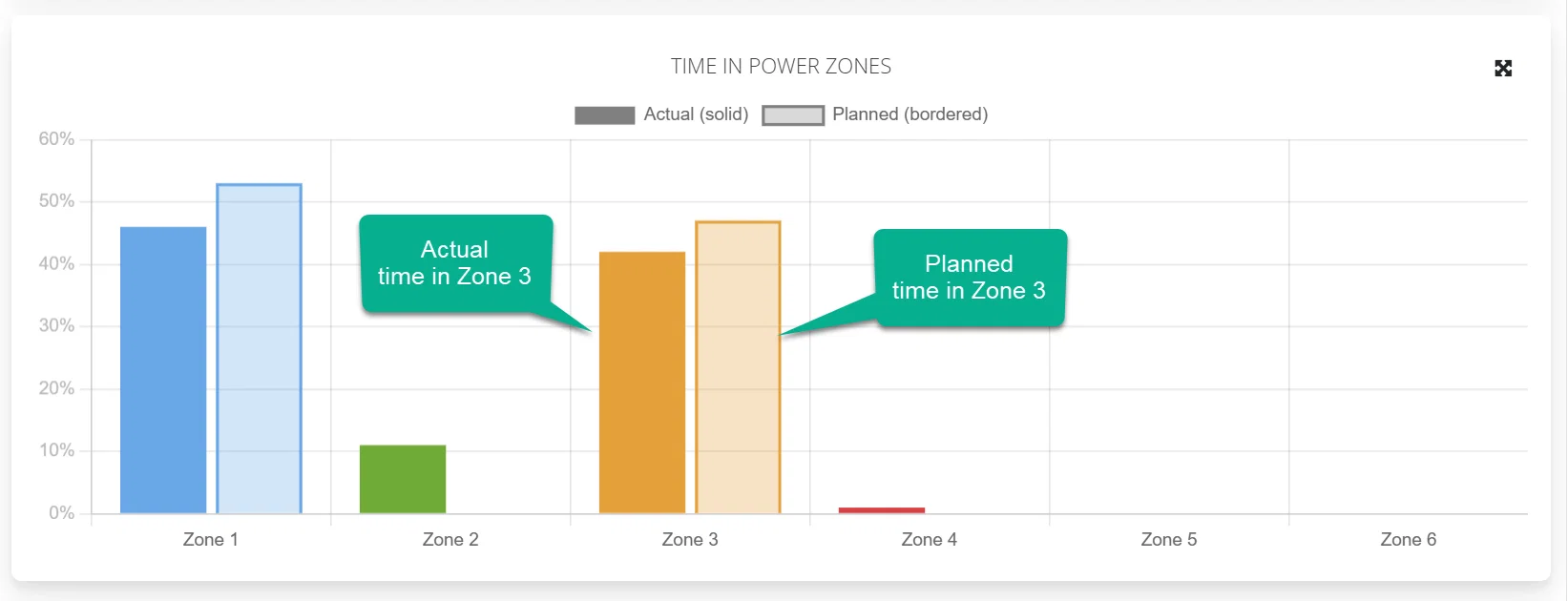
If you are planning using structured workouts and have prescribed Power, Pace, HR or Cadence then these can now show on the completed data charts. Planned time in specific training zones will also be shown on the "Time in Zones" chart to get an overall view of how closely the prescribed intensities were adhered to.
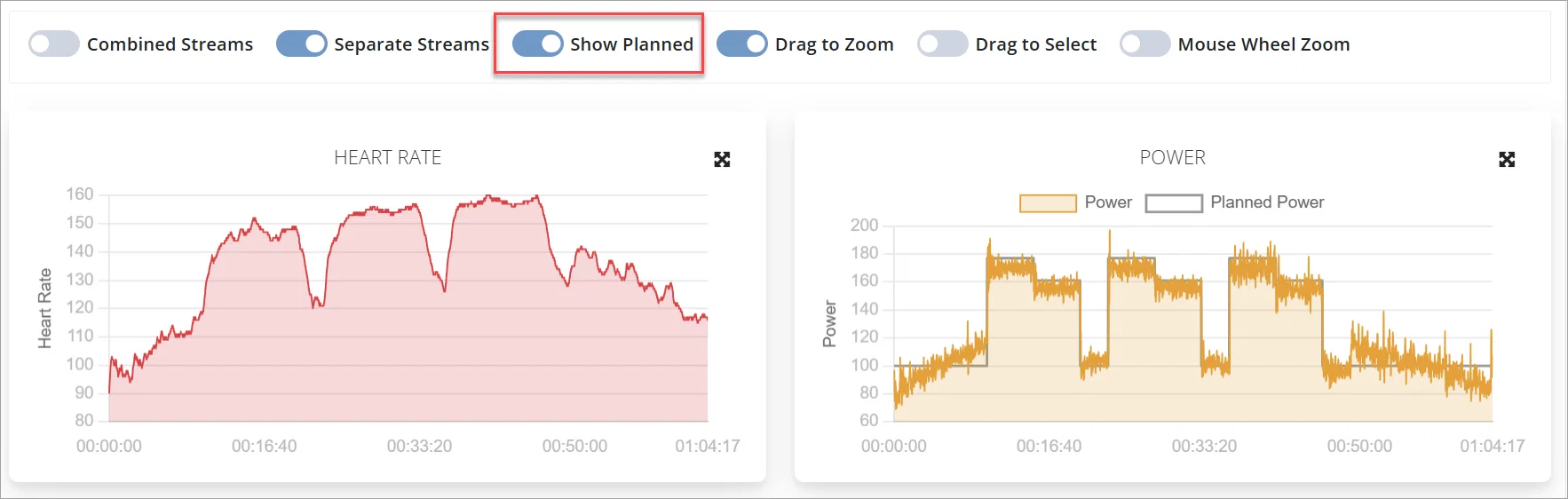
Both coaches an athletes can decide if they want to toggle this on or off on the workout analysis screens and that will be saved in their settings. All the other toggles on the analysis screen will now also be saved.
Example of actual vs planned power below
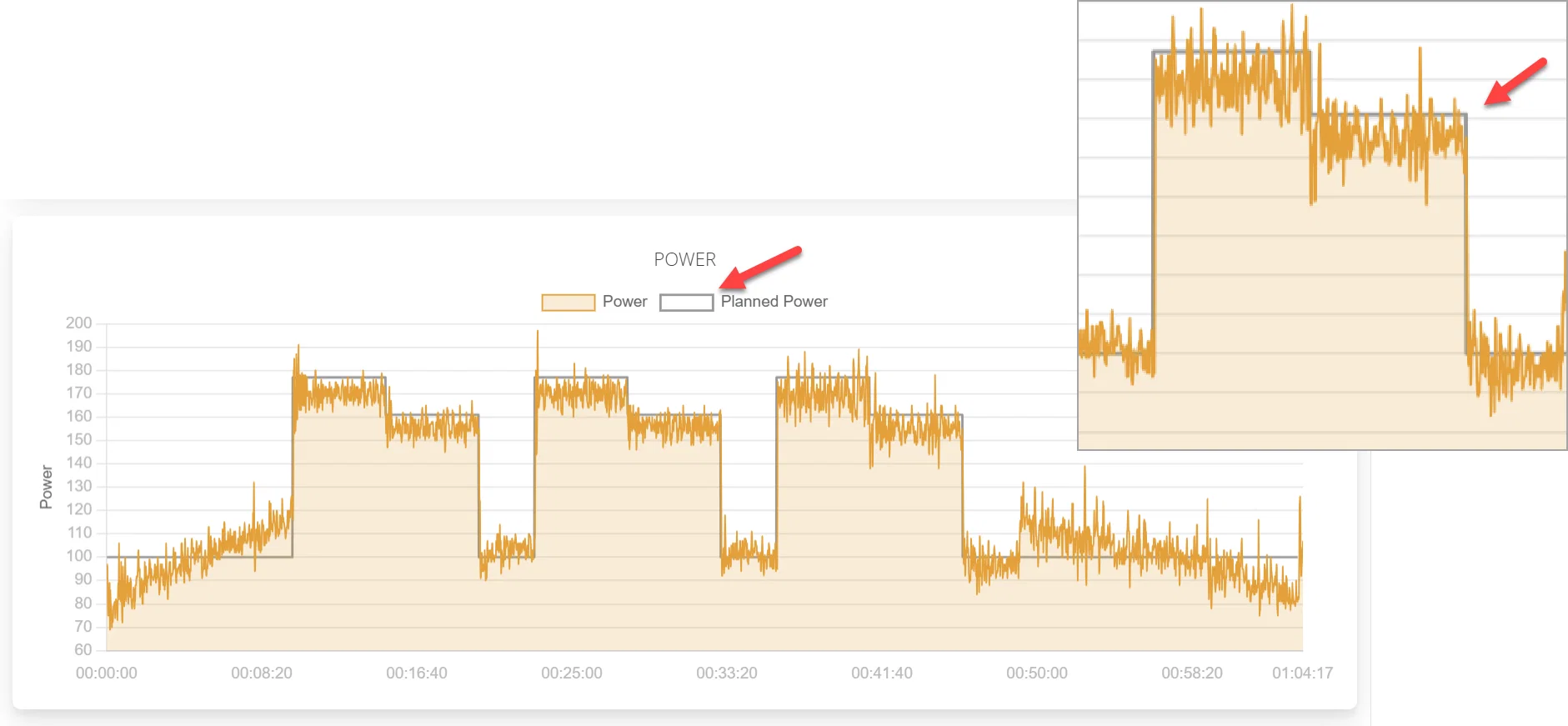
Chart showing planned vs actual time in zones
How to toggle planned data on and off
Note: This toggle will only show if the completed workout has an associated structured workout
This will be saved along with all the other toggles, so next time any workout is loaded it will use your saved settings.
Show the planned workout within the completed
I know that there is already an idea out there to see the training zones in the graphs in the analysis, which is a must-have imo. At the moment, I look at the power graph and it gives me nothing because it is not related to anything, I can not make any conclusion and give tips to the athletes (because the graphs have no context). One steo further would be to show the pic from the planned structured workout within the power graph of the completed, like this. I cannot imagine any better way to see what is going on and provide detailed and helpful feedback to the athletes (and finally have an exact idea what was going on myself)
3