Sync Planned and Completed Workouts to and From Zwift
You can send planned workouts to Zwift. Competed workouts in Zwift can also be synced automatically back into your account.
First step is connecting your Zwift account. Athletes can connect their Zwift from the profile menu in the menu or form the "user settings" option in the top right hand menu of the web app.
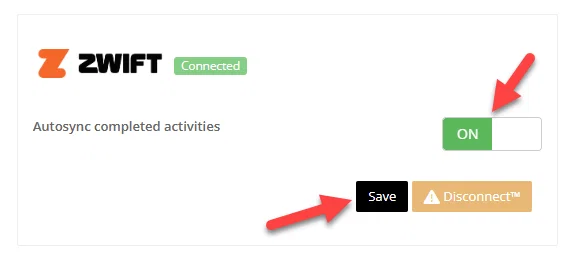
Once connected you'll be able to send workouts to Zwift. To automatically sync your completed Zwift workouts, switch auto sync to on, and click save.
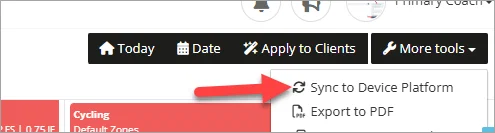
You can send the next 7 days worth of workouts in advance from the calendar on the web app and the profile from the mobile apps.
Sending 7 Days in Advance
From Web App
From the More Tools - Sync to Device dropdown
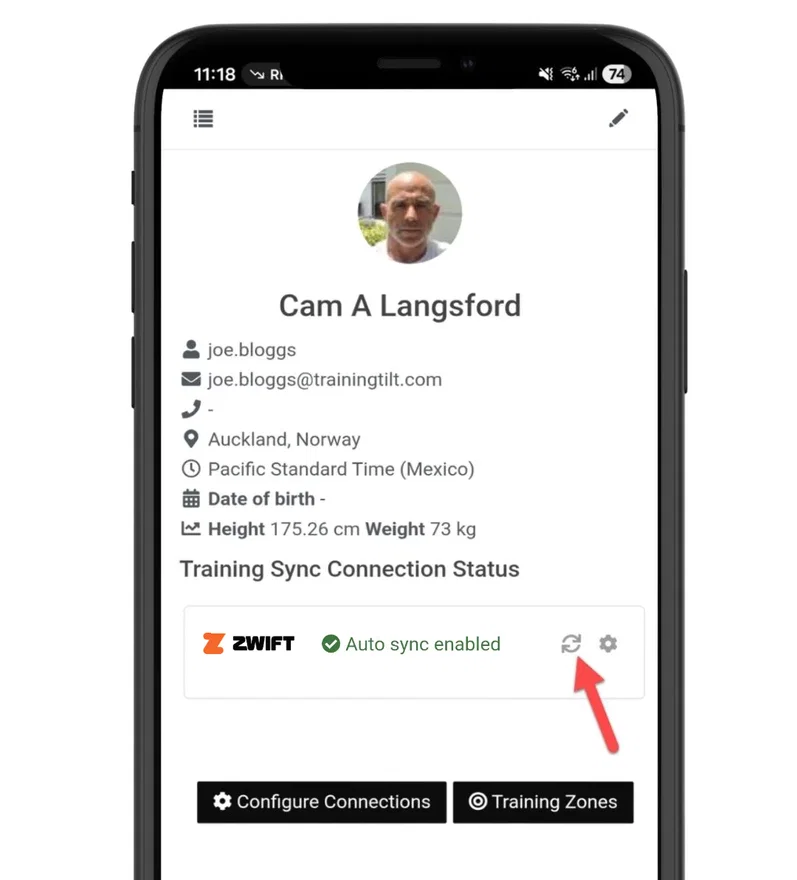
From Mobile App
From the profile on the mobile app.
Send Individual Workouts
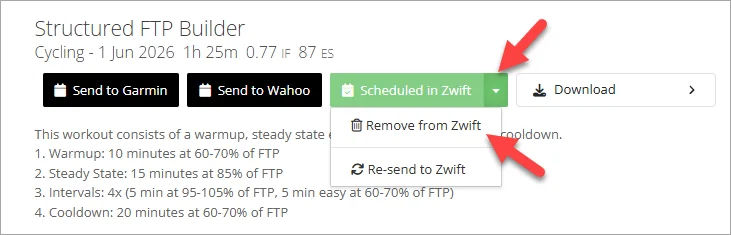
On the web and mobile apps you can send the workout to Zwift directly from the workout detail.
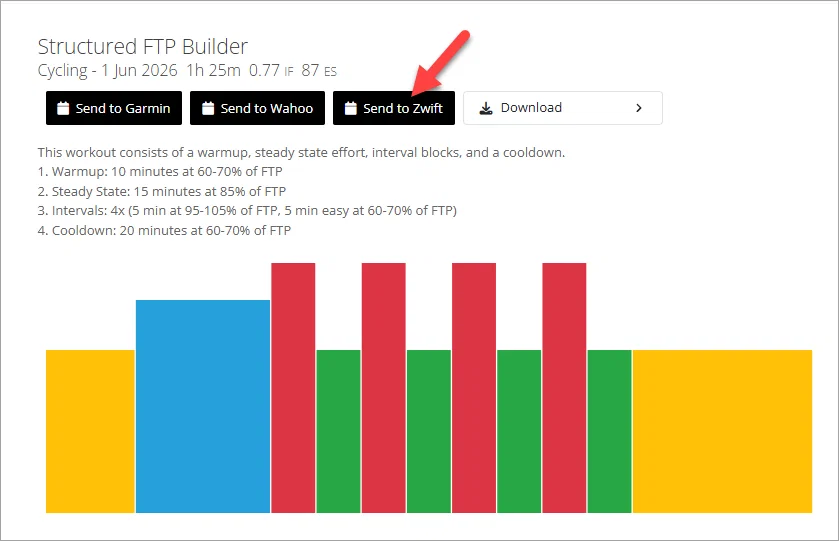
Once sent, you can remove or resend from the dropdown.